Your cart is currently empty!

Closeclose
Modding Satisfactory on a dedicated server unlocks new gameplay mechanics, automation enhancements, and quality-of-life improvements. This guide walks you through the full process—from server setup to mod deployment—using best practices for maintainability, compliance, and multiplayer stability.
We at gameservercentral.eu are excited to announce that we proudly support modded Satisfactory servers! This means our players can take their creativity further, experiment with new features, and tailor their worlds to their unique vision. We believe modding is at the heart of what makes gaming communities thrive—freedom, innovation, and collaboration. Our mission is to provide stable, high-performance servers that make every mod run smoothly and reliably. Join us today and experience Satisfactory the way you want to play it!
The Satisfactory Mod Manager (SMM) simplifies mod installation and dependency management. It is a powerful desktop application designed to simplify the process of installing, managing, and updating mods for Satisfactory. It’s the go-to tool for both players and server operators who want to enhance gameplay without manually handling mod files or dependencies.
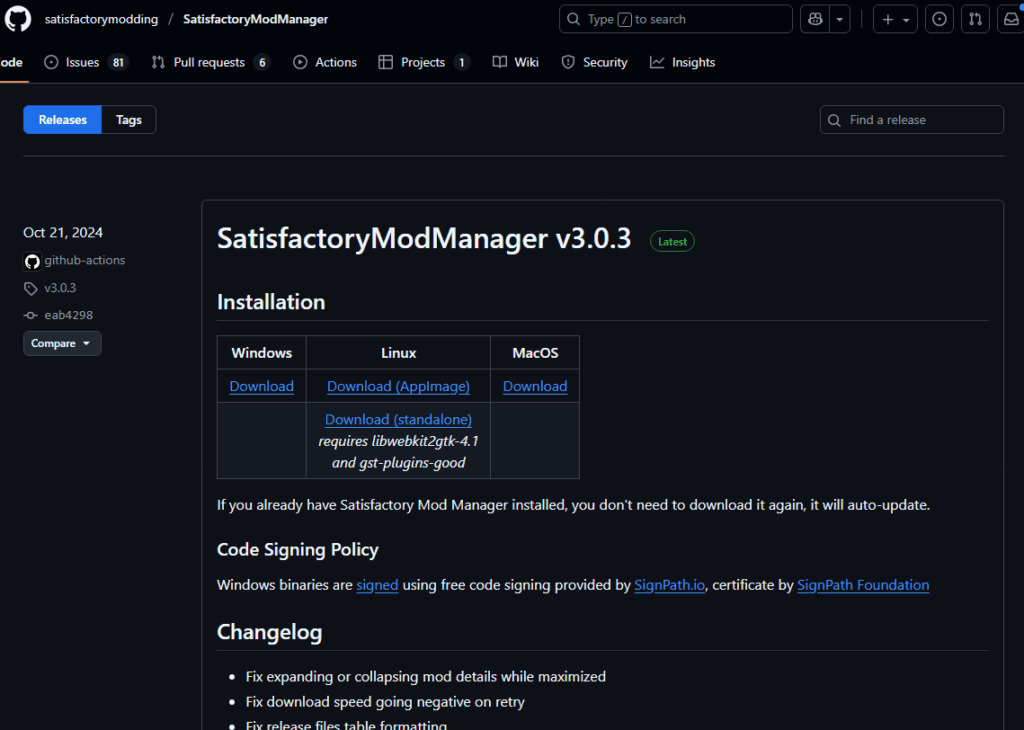
2. Run the Installer and launch the application
3. Select Manage Servers from the Main menu

Select “Manage Servers” from the Menu
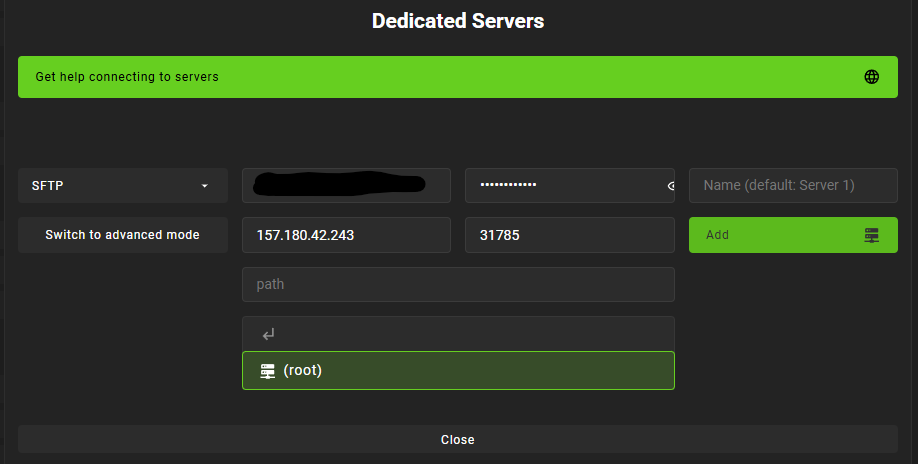
To install mods on your Satisfactory dedicated server, you must first connect it to the Satisfactory Mod Manager (SMM). This step varies depending on whether your server is hosted locally or remotely.
C:\SatisfactoryServer)FactoryGame and Mods foldersFor servers hosted by us (or other providers which allow you access via sftp), select remote and SFTP enter the following details: Host/IP, Port, Username and Password or Private Key.
If your ordered your satisfactory server on gameservercentral.eu, you can find these information in the controlpanel:

Copy the information and input them to SMM
Satisfactory mods require the Satisfactory Mod Loader (SML).

On the right side of the SMM select your desired Mod(s) and click the install button:
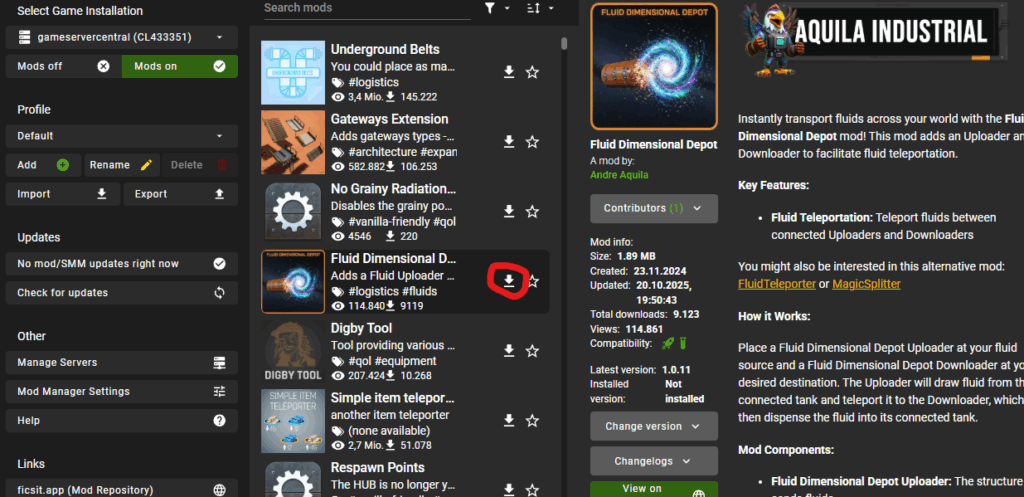
🧠 Best Practice: Install one mod at a time and test stability before adding more.
After Installing the mods, make sure to restart your server

After Installing the mods you should see the Mods being loaded within your logfils

Before connecting to your server, make sure to switch the profile to steam and press the “MODS on” button, to also install the mods locally:
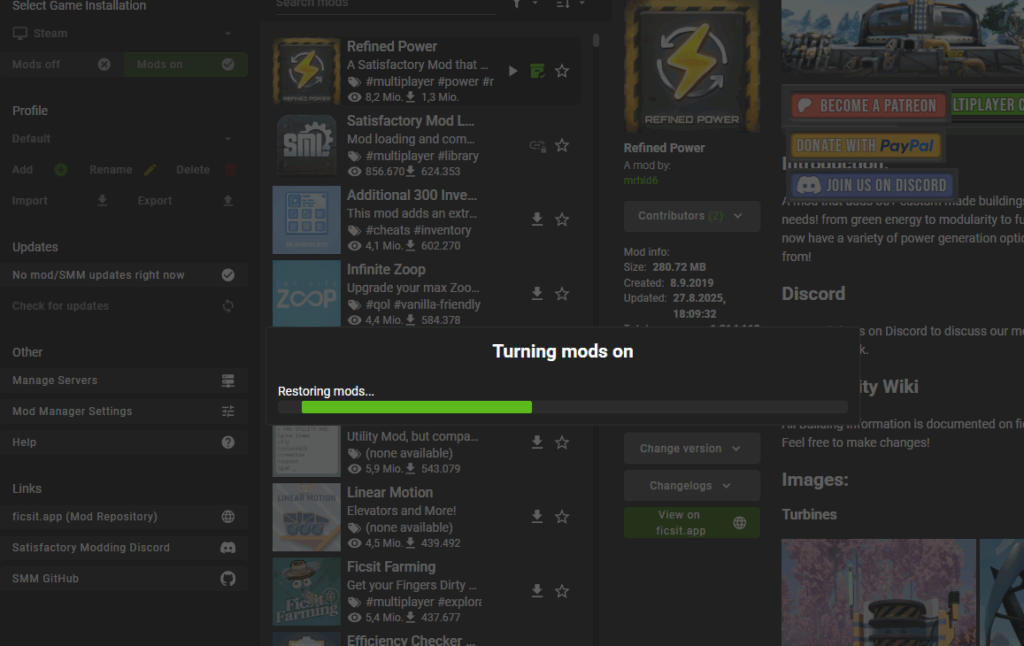
All players should install the same mods locally via SMM to avoid desync issues.
You can easily share the installed mods by utilizing the export funcitonality of SMM to export a file with all mods, that you can share with your friends to ease the process
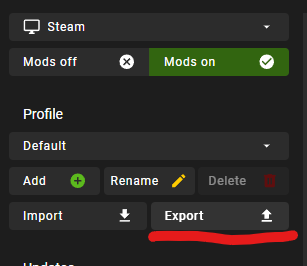
Join your server as usual.
When pressing Escape, and everything worked, you should see more information about the installed modsin the respective menus
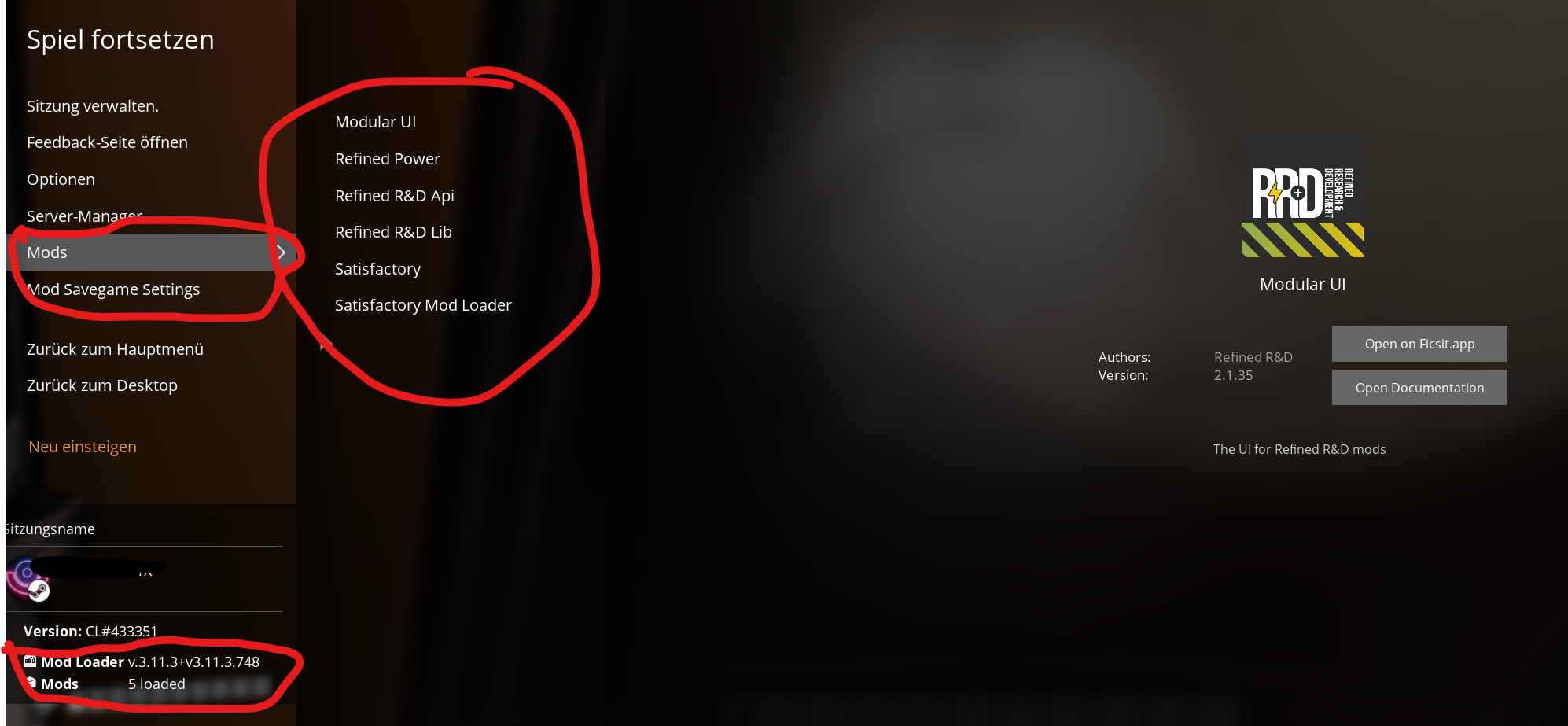
Modding a Satisfactory dedicated server is a powerful way to customize gameplay and foster community creativity. By following this structured approach, you should be up and running with a smooth modded multiplayer experience in minutes.
 English English
  Deutsch